

















Virtual Meeting Ettiquette
It's time to take virtual meeting etiquette seriously
Today, virtual meetings are no longer viewed as a substitute for office collaboration. For many businesses, they are the default way work gets done. Teams spread across cities, countries, and time zones now rely on online meetings to make decisions, share updates, manage projects, and maintain workplace culture.
At the same time, expectations around professionalism in digital environments have evolved. A decade ago, people tolerated glitchy audio, constant interruptions, and distracted behaviour because remote work was still relatively new. Today, employees and leaders are expected to understand proper virtual meeting etiquette in the same way they would understand behaviour in traditional boardrooms or in-person meetings.
The reason is simple: bad meeting habits scale quickly online. One person with loud background noise, poor audio settings, or no awareness of group dynamics can derail an entire discussion. Meanwhile, teams that master virtual meeting etiquette tend to communicate more clearly, reach faster decisions, and create more productive workplaces.
Modern remote meeting etiquette is not just about looking polished on camera. It is about respecting other people’s time, reducing friction, encouraging participation, and using technology intelligently. Whether someone is leading weekly strategy sessions, joining quick remote calls, or facilitating large cross functional meetings, digital professionalism has become a core workplace skill.
Why meeting etiquette matters more in remote work
A surprising number of professionals still underestimate how much energy poor meetings consume. In physical workplaces, people could often recover from confusing or inefficient conversations through informal chats afterward. Remote work changes that dynamic completely.
During virtual meetings, communication depends heavily on structure. Participants have fewer visual cues, more distractions, and less natural conversational rhythm. Delays in audio, people speaking over each other, or unclear objectives can quickly create confusion.
This is why good virtual meeting etiquette matters so much. Teams that communicate well online are more likely to stay aligned, maintain trust, and produce better meeting outcomes. Effective meetings also help distributed workers feel connected rather than isolated.
The rise of hybrid meetings has added another layer of complexity. Many organizations now have some employees gathered in a physical conference room while others join remotely. Without intentional etiquette, remote workers can easily feel ignored or excluded from important decisions.
Good etiquette creates balance. It ensures both office staff and remote attendees remain on the same page, regardless of location.
Meeting prep is more important than ever
One of the clearest signs of good meeting etiquette is preparation. These days, people expect meetings to begin with momentum rather than confusion.
Strong meeting prep starts with understanding the purpose of the meeting itself. Every attendee should know the meeting agenda, expected outcomes, and their role in the discussion before joining the call. Too many meetings still begin with people asking basic questions that should have been clarified earlier.
Preparation is especially important for project managers, department leads, and facilitators responsible for coordinating multiple teams. When people arrive without context, conversations become repetitive and unfocused.
The best professionals review documents beforehand, anticipate likely discussion points, and prepare updates in advance. This helps keep conversations productive and avoids wasting time during the live call itself.
Joining a few minutes early is another small but important habit. It provides time to test equipment, confirm your internet connection, adjust your camera, and resolve any last-minute technology issues before the meeting officially begins.
The importance of environment & focus
In remote work, the environment around you becomes part of your professional presence. A noisy room, poor lighting, or constant interruptions can make collaboration harder for everyone else involved.
Whenever possible, people should join meetings from a quiet area where they can fully focus on the discussion. While modern software offers impressive noise cancellation, it cannot completely eliminate distractions caused by barking dogs, traffic, keyboard noise, or nearby conversations.
Professionals are also expected to minimize distractions on their own devices. This means closing unrelated tabs, avoiding unnecessary notifications, and resisting the temptation to multitask during calls.
One of the biggest complaints about online meetings is that many attendees appear physically present while mentally elsewhere. Colleagues can usually tell when someone is checking emails, scrolling through messages, or only half listening to the discussion. People who consistently avoid multitasking contribute more meaningfully and help maintain momentum during meetings.
This also applies to mobile devices. Professionals should silence phone notifications before joining a call so interruptions do not distract other participants.
The expectation today is simple: if someone joins a meeting, they should give it their full attention.
Managing audio & video professionally
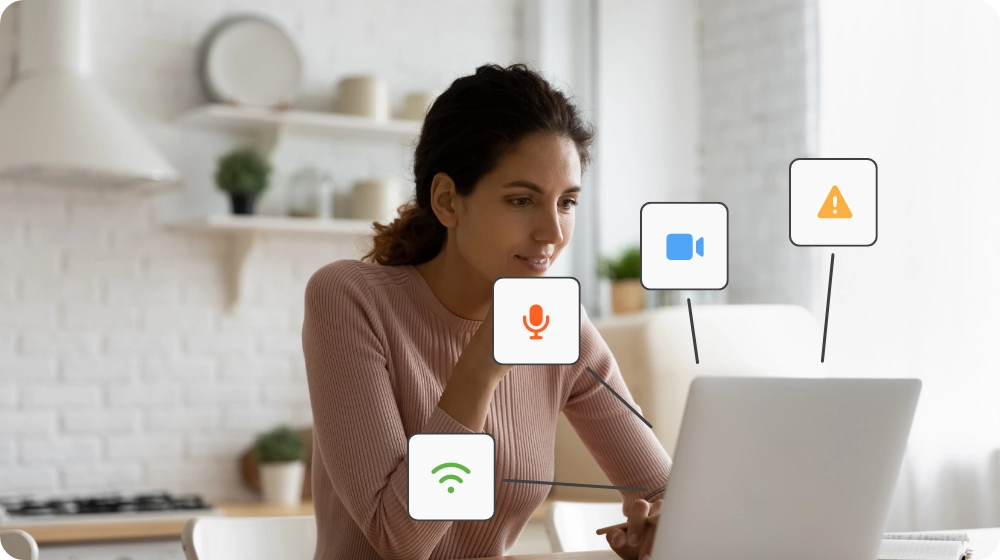
Audio quality remains one of the most important elements of successful virtual meetings. People are generally more forgiving of imperfect video than poor sound.
That is why keeping your microphone muted when not actively speaking remains a fundamental rule of remote meeting etiquette. Even small noises can become disruptive in digital environments. Typing, coughing, eating, or moving objects near the microphone can distract everyone else involved in the call.
Participants should stay muted until they need to contribute, especially during presentations or meetings involving larger groups.
The role of video has evolved significantly as well. In earlier years of remote work, some organizations pushed for mandatory cameras during every call. Now, companies have adopted more nuanced expectations.
For collaborative sessions, interviews, onboarding meetings, or relationship-building conversations, turning on the camera is encouraged because it improves engagement and allows people to read facial expressions more naturally. It also helps create a stronger sense of connection between remote colleagues.
However, there is also greater recognition that not every meeting requires constant video participation. Employees may occasionally remain off camera for practical reasons, particularly during long internal sessions or audio-focused discussions.
When using video, presentation still matters. Good etiquette includes ensuring good lighting, maintaining a tidy background, and positioning the camera in a stable location that supports comfortable virtual eye contact. Many professionals now use a subtle virtual background to reduce visual distractions while still appearing polished.
People are also expected to dress appropriately based on the context of the meeting. Formal client presentations and internal brainstorming sessions naturally require different standards, but professionalism still matters in remote settings.
Communication has become a digital skill
The most effective remote professionals understand that digital communication requires intentionality. Unlike casual office conversations, virtual discussions need structure to flow smoothly.
Interruptions are one of the biggest challenges during video conference calls because small delays in audio timing can cause people to accidentally speak over one another. Good etiquette means pausing briefly before responding and allowing others space to finish their thoughts.
Many platforms now include improved ‘hand raising’ features that make group participation easier to manage. These tools are particularly useful during larger groups, training sessions, or presentations where multiple people may want to contribute at once.
The rise of global distributed teams has also made awareness of different communication styles increasingly important. Some people naturally speak quickly and directly, while others prefer time to think before responding. Strong facilitators create space for different personalities rather than allowing only the loudest voices to dominate the discussion.
This is especially important during cross functional meetings, where employees from different departments may have very different ways of approaching problems.
Good communication is not just about speaking clearly. It is about listening carefully, encouraging participation, and helping all participants feel included in the conversation.
Screen sharing & collaboration etiquette
Modern meetings rely heavily on screen sharing, but surprisingly few people do it well.
Poorly managed screen sharing creates confusion, slows meetings down, and occasionally exposes sensitive information accidentally. Professionals are now expected to prepare their desktops before presenting by closing unnecessary windows, organizing documents, and removing distracting notifications.
Effective presenters also understand pacing. Rapidly switching between tabs or moving through content too quickly can make it difficult for other attendees to follow the discussion.
Good presentation etiquette means explaining what viewers are seeing, highlighting key information clearly, and pausing regularly for questions or clarification.
Collaboration tools have also evolved dramatically. Platforms like Microsoft Teams and other digital workspaces now integrate live transcription, shared documents, collaborative whiteboards, and AI-assisted summaries directly into meetings.
These features can improve efficiency significantly, but they also require thoughtful use. Teams should ensure technology supports the discussion rather than overwhelming it.
AI tools are changing meeting culture
One of the biggest workplace shifts is the widespread use of AI tools during meetings.
Many organizations now use AI for note-taking, meeting summaries, task extraction, scheduling, and live translation. These tools help teams capture action items, document key decisions, and organize meeting content automatically.
However, etiquette around AI usage is still evolving.
Professionals are increasingly expected to inform attendees when meetings are being transcribed or recorded by AI systems. There is also growing awareness that automated summaries are not always accurate and still require human review.
The most effective teams use AI to reduce administrative work while keeping human interaction at the centre of the meeting experience. Technology should improve collaboration, not replace active listening or engagement.
Hybrid meetings remain the biggest challenge
Even with advances in workplace technology, hybrid meetings continue to present difficulties for organizations.
When some people are gathered in person while others join remotely, the physical room often dominates the interaction. Remote workers may struggle to hear side conversations or contribute naturally to the discussion.
Good hybrid facilitation requires intentional inclusion. Leaders need to actively involve remote participants, repeat comments made in the room, and ensure everyone has equal opportunity to contribute.
The best hybrid facilitators also avoid treating remote employees like passive observers. Instead, they structure meetings so both office staff and remote workers can participate equally.
This has become an increasingly important leadership skill as businesses continue adopting flexible work arrangements.
Chat, breakout rooms & participation
The modern meeting experience extends beyond spoken conversation alone. Features like chat, collaborative boards, and breakout rooms now play a major role in how teams interact.
Chat functions allow attendees to share links, ask questions, and provide context without interrupting the speaker. However, excessive side conversations can quickly become distracting. Good etiquette means using chat purposefully rather than treating it like a separate social feed.
Breakout sessions require even more structure. Without clear instructions, smaller groups often drift off topic or lose momentum entirely. Successful breakout discussions work best when facilitators clearly define objectives, timelines, and expected outcomes before splitting attendees into smaller groups.
Participation is also increasingly viewed as a professional responsibility. Employees are expected to remain visibly engaged, contribute thoughtfully when appropriate, and help move discussions forward constructively.
Following up after the meeting
Strong etiquette does not end when the call finishes.
Clear follow up communication is essential for turning discussion into action. By the end of a meeting, attendees should understand responsibilities, deadlines, and next steps.
The best follow-ups summarize:
- Major discussion points
- Important decisions
- Assigned responsibilities
- Outstanding questions
- Relevant deadlines
- Final action items
Without this clarity, even well-run meetings can lose momentum afterward.
For leaders and project managers, strong follow-up communication is often what separates productive meetings from conversations that ultimately accomplish very little.
The future or virtual meeting etiquette
The future of work will almost certainly involve even more digital collaboration. Remote work, flexible schedules, and global hiring have permanently changed how organizations operate.
As a result, virtual meeting etiquette is no longer just a workplace preference. It is a core professional competency.
The professionals who succeed in this environment are not necessarily the loudest speakers or the most charismatic presenters. They are the people who communicate clearly, remain attentive, respect others’ time, and contribute constructively during meetings.
Strong etiquette in virtual meetings means understanding both human behaviour and digital collaboration tools. It means balancing professionalism with empathy, efficiency with inclusion, and technology with genuine human interaction.
Ultimately, the best meetings are not the ones with the fanciest software or the most advanced features. They are the meetings where people feel heard, discussions remain focused, and teams leave with clarity about what happens next.